 Home
HomeDevice Pay
Tap and pay the easy way—use your Legend Bank card with your phone or watch for fast, secure purchases, no wallet needed.



Experience service that makes banking feel personal again. Get local decision-making with all the modern conveniences — mobile banking, debit card rewards and more!
Experience service that makes banking feel personal again. Get local decision-making with all the modern conveniences — mobile banking, debit card rewards and more!
Experience service that makes banking feel personal again. Get local decision-making with all the modern conveniences — mobile banking, debit card rewards and more!
Experience service that makes banking feel personal again. Get local decision-making with all the modern conveniences — mobile banking, debit card rewards and more!
Experience service that makes banking feel personal again. Get local decision-making with all the modern conveniences — mobile banking, debit card rewards and more!

This feature uses Artificial Intelligence (AI) to generate responses. AI may occasionally make mistakes, so thank you for your patience and understanding.
Use the camera on your phone to scan the QR code for the app store you want to visit.

App Store

Google Play
Wireless carrier charges may apply
Click the button to visit your app store.


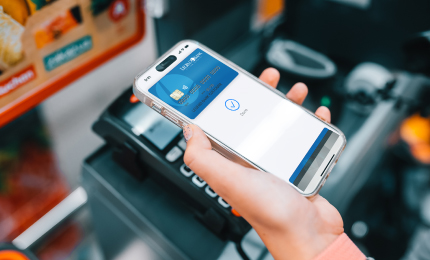
Tap and pay the easy way—use your Legend Bank card with your phone or watch for fast, secure purchases, no wallet needed.
Add eligible Legend Bank debit cards to your device’s mobile wallet so you can make contactless and in‑app payments quickly and securely. It’s an easy way to pay using your phone or watch.
Wireless carrier charges may apply. Apple Pay is a registered trademark of Apple Inc. Google Pay is a registered trademark of Google LLC. Samsung Pay is a trademark of Samsung Electronics Co., Ltd.
Wireless carrier charges may apply. Apple Pay is a registered trademark of Apple Inc. Google Pay is a registered trademark of Google LLC. Samsung Pay is a trademark of Samsung Electronics Co., Ltd.
Wireless carrier charges may apply. Apple Pay is a registered trademark of Apple Inc. Google Pay is a registered trademark of Google LLC. Samsung Pay is a trademark of Samsung Electronics Co., Ltd.
Traveling and need a new debit card? Keep the purchases rolling with our Digital Debit Cards. Just contact us to request one, load it into your digital wallet or access your card info instantly for seamless spending on the go.
Note: You will be linking to another website not owned or operated by Legend Bank. Legend Bank is not responsible for the availability or content of this website and does not represent either the linked website or you, should you enter into a transaction. We encourage you to review their privacy and security policies which may differ from Legend Bank.
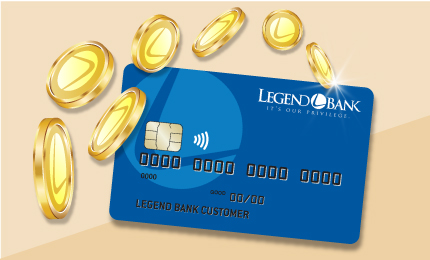
Earn rewards every time you use your debit card to shop, dine out, or pay bills — a simple way to turn everyday purchases into something extra.

Earn instant cash back on everyday purchases from hundreds of national and local brands. Just buy gift cards using CashBack+ in Online Banking or our mobile app.