 Home
HomeTake Control of Your Card
Manage travel alerts, monitor spending, and control your debit card all in one place.



Experience service that makes banking feel personal again. Get local decision-making with all the modern conveniences — mobile banking, debit card rewards and more!
Experience service that makes banking feel personal again. Get local decision-making with all the modern conveniences — mobile banking, debit card rewards and more!
Experience service that makes banking feel personal again. Get local decision-making with all the modern conveniences — mobile banking, debit card rewards and more!
Experience service that makes banking feel personal again. Get local decision-making with all the modern conveniences — mobile banking, debit card rewards and more!
Experience service that makes banking feel personal again. Get local decision-making with all the modern conveniences — mobile banking, debit card rewards and more!

This feature uses Artificial Intelligence (AI) to generate responses. AI may occasionally make mistakes, so thank you for your patience and understanding.
Use the camera on your phone to scan the QR code for the app store you want to visit.

App Store
Google Play
Wireless carrier charges may apply
Click the button to visit your app store.


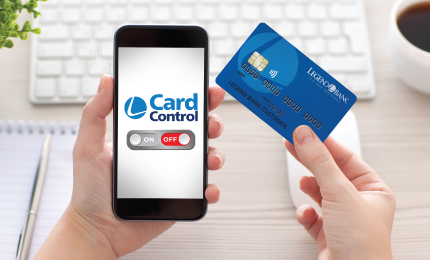
Manage travel alerts, monitor spending, and control your debit card all in one place.
Set travel plans, reset your PIN, and more–all without a separate app. Just log in to Online Banking or the Mobile App, click Services > Card Control, and start exploring. Be sure to update your mobile banking app and browser for the best experience.
Access all Card Control features, including turning your card off and on directly in Online Banking or our Mobile App under Services > Card Control.
Add your card to Apple Pay(R) or Google PayTM from Card Control—and make quick, seamless purchases.
Get a clear picture of your monthly spending by seeing what, when, and where you made purchases. Review each transaction and even view them on a map to pinpoint the exact location of your spending.
Help reduce fraud by setting and resetting your card PIN, receiving push notifications with location info, and reviewing subscriptions with automatic payments.
Enter travel locations and timeframes so your debit card works anywhere—without a call to the bank. Set up to 14 days of travel at a time and renew the timeframe if you’re traveling for a longer period.
These short videos walk you through how to fully set up and manage your Legend Bank debit card using Card Control.
You are linking to another website not owned or operated by Legend Bank. Legend Bank is not responsible for the availability or content of this website and does not represent either the linked website or you, should you enter into a transaction. We encourage you to review their privacy and security policies which may differ from Legend Bank.
To access the Card Control experience fully built into our mobile banking app, you may be prompted to install the latest update of our app. Without it, card management and other Card Control features won’t be available. Updating ensures everything continues to work smoothly, securely, and all in one place.
If your operating system or browser is several versions behind, it might not meet the technical and security requirements of modern apps and browsers. Upgrading helps ensure compatibility and unlocks performance improvements and stronger protection against malware and exploits.
We wish it were that simple. Older systems often lack the performance, security, and compatibility needed to support the latest app features. Over time, technology evolves, and newer versions are optimized to work with updated browsers, operating systems, and devices. Outdated systems may expose users to risks and limit the overall experience.
No, you can remove it from your device. All card management features are built directly into the Legend Bank app for a smoother, easier and more secure experience for you.
We recommend opening your Digital Wallet to double-check that your Legend Bank card is saved there. If it is, your card is ready to go and fully compatible with Card Control’s new features as well as your online and app purchases. Note: If you don’t see your card in your wallet, simply add it through Card Control or your digital wallet.
If you receive a “Device Limit Reached” message while trying to add your Legend Bank card through Card Control, don’t worry. This usually means your card is already set up in your Apple or Google Wallet. This message won’t affect your ability to use Card Control or your Apple or Google Wallet. Your card remains fully functional in both places. We recommend checking your digital wallet to confirm your Legend Bank card is listed. For the smoothest experience with online and app purchases, be sure to set your Legend Bank card as the default card in your digital wallet.
This message means that in order to enable location-based features in Card Control, like transaction alerts or spending restrictions based on your device’s location, you’ll need to set this device as your primary device. By selecting “Yes,” you’re making this device the main one connected to your Legend Bank card, which allows you to use the full suite of features, including location controls and alerts.
Each app is a little different, but when you choose “Add Funds” or make a purchase, look for the option to pay with Apple Pay or Google Pay. When that screen appears, you should be able to select your Legend Bank card. If your card doesn’t automatically show up, simply click “Change Payment Method” or a similar option, then choose your Legend Bank debit card. This ensures your purchases are made with your Legend Bank card, which helps you earn Legend Bank Rewards points, getting you closer to gift cards, merchandise, and more.
Note: You might have to enter your card number, expiration date and CVV code. If you don’t have your card handy to do this, you can get this information from “View Digital Card” in Card Control.
Here are some powerful features you won’t want to miss:
Pro Tip: Be sure to check out our “How-To” videos for help getting started and making the most of every feature.
Wireless carrier charges may apply.
Traveling and need a new debit card? Keep the purchases rolling with a Digital Debit Card. Just contact us to request it, load your card into your digital wallet or access your card info instantly for seamless spending on the go.
You are linking to another website not owned or operated by Legend Bank. Legend Bank is not responsible for the availability or content of this website and does not represent either the linked website or you, should you enter into a transaction. We encourage you to review their privacy and security policies which may differ from Legend Bank.