CashBack+

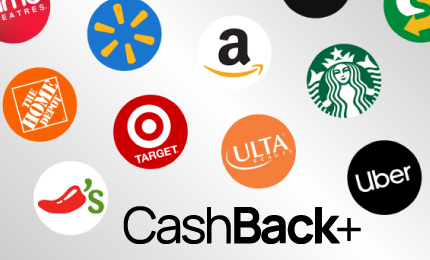
Get rewarded for shopping for your business essentials. Earn cash back when you buy gift cards for everyday business needs using CashBack+ in our Online Banking or Mobile Banking App. Choose from top retailers and reinvest your rewards into your business.

BANK HARD

Here’s to a holiday season that’s anything but silent! May it be full of action, laughter, and the kind of joy that never quits.

How It Works

Unlock cashback opportunities for your business by browsing exclusive offers from hundreds of leading brands through the Legend Bank CashBack+ menu, available in Online Banking and our Mobile Banking App. It’s a simple way to earn while you spend.

  1. Log in to Online Banking or the Legend Bank Mobile Banking App.
  2. Click on “Special Features” under the menu.
  3. Select CashBack+.
  4. Scroll to click “Get Started” to proceed.
  5. Explore your cashback offers and purchase gift cards. You can search by brand name or click “See all merchants” to find deals.
  6. Pick a gift card by selecting the brand name and the amount you’d like to purchase. Click “Select Gift Card.”

Note: Orders can’t be cancelled so be sure you want the gift card when making the purchase.

Frequently Asked Questions

All Legend Bank Online Banking and Mobile App customers can enjoy the benefits of CashBack+. This service is available for retail, commercial, and treasury management customers who have online banking.

CashBack+ is an exclusive customer benefit accessible right from your Legend Bank online banking and mobile banking app. CashBack+ offers a large variety of cashback offers from hundreds of well-loved brands. You receive cash back when you purchase digital gift cards using funds from your checking accounts to do your everyday shopping and gifting, instead of using cash, credit or debit cards. The brands are personalized to customers, and the offers update frequently.

CashBack+ Offer Information

CashBack percentages are determined based on the merchant and will vary from time to time.

CashBack+ provides the best offers for all users. The options may change depending on a variety of factors, including previous purchase history, location, and promotional campaigns. The percentages you see will be customized and relevant to you based on past purchasing behavior, location, and value.

The best part of CashBack+ is how easy it is to use. Simply purchase a digital gift card and instantly receive an additional percentage of your gift card value as cashback. The cashback will appear in your CashBack+ wallet, accessible via the top right menu of CashBack+ and valid on other gift card purchases once you reach the gift card amount you want to purchase. You may also transfer cash back into your checking account in any increment.

You can use your cashback earnings to either purchase additional gift cards through Legend Bank CashBack+ or transfer your cashback balance to your checking or savings accounts from your Cashback+ Wallet.

Transferring cashback to your account only takes up to 24 hours, and there are no fees associated with utilizing CashBack+. If you are purchasing gift cards with your cashback earnings, you’ll need to have the gift card amount in your CashBack+ balance to purchase it.

Gift Card Questions

Gift cards are always easily accessible to you. Once purchased, your digital gift card will be available within your CashBack+ wallet. We will also send a confirmation email at the time of purchase to the email associated with your Legend Bank account.

Some gift cards can take 1-3 business days to be available but most are available immediately or within a few hours. The digital gift card comes with a code that can be used online or scanned in store. Your gift card will remain in your CashBack+ wallet until you’re ready to use it. Once used, you can archive it within the wallet.


While expiration policies are dictated by the specific gift card’s retailer, federal law requires that gift cards are not permitted to expire within a minimum of five (5) years from the date of purchase. For more information regarding the specific gift card, we recommend reaching out to the specific brand’s support team.

CashBack+ only provides digital gift cards to ensure that you can use them instantly, but you can always print your digital gift card or take a screenshot on your phone or device and save it. You can use the gift card code and PIN to redeem online, or, if presented with a barcode, either scanned from your mobile device or printed out and presented to the cashier at the time of purchase. You can also add your digital gift card to the merchant’s app if that functionality is available in the app.

Yes, once claimed the digital gift card can be printed.

Once a gift card is purchased, we are unable to exchange it, cancel the gift card purchase, or refund your account.

Your gift card will still remain in your wallet when you gift it. So when you give a gift card purchased through CashBack+ we recommend archiving the card in your CashBack+ wallet so you don’t accidentally use it.

When you purchase a gift card, you’ll receive an email notifying you that your gift card will be ready within 1-3 business days. Most gift cards are available immediately or within a few hours, but fraud protections may cause delays with some card purchases.

When using your gift card, you may be able to easily connect it to the merchant’s app on your phone or you can copy and paste the gift card number and PIN into your merchant’s app. Additionally, you can save the gift card in your CashBack+ digital wallet to redeem when you’re ready.

Support & Assistance

If you no longer have access to the email account on file, please update your email address in your Online Banking profile. Once updated, please reach out to [email protected] (our partners in bringing you CashBack+) to confirm the change and have the previous cards sent to your new email address.

You can visit the Help Center for detailed instructions on most cards. Otherwise, please contact the CashBack+ support team at [email protected] (our partners in bringing you CashBack+). Brand websites can have different methods of accepting gift cards, and the support team is happy to help if there are any issues.

No problem! You can access your previously purchased gift cards either through the email confirmation or through your CashBack+ wallet, accessible in the CashBack+ menu in Legend Bank Online Banking or your Mobile App. If you cannot find the original email, reach out to [email protected] (our partners in bringing you CashBack+) for assistance.

If you have a question that still needs to be answered, please visit the Help Center or contact a dedicated support team member at [email protected] (our partners in bringing you CashBack+).

We would suggest the business reaches out to our merchant team for more information and to book a meeting to learn more. The merchant team can be reached at [email protected] (our partners in bringing you CashBack+).

Our Business Customers Say It Best